
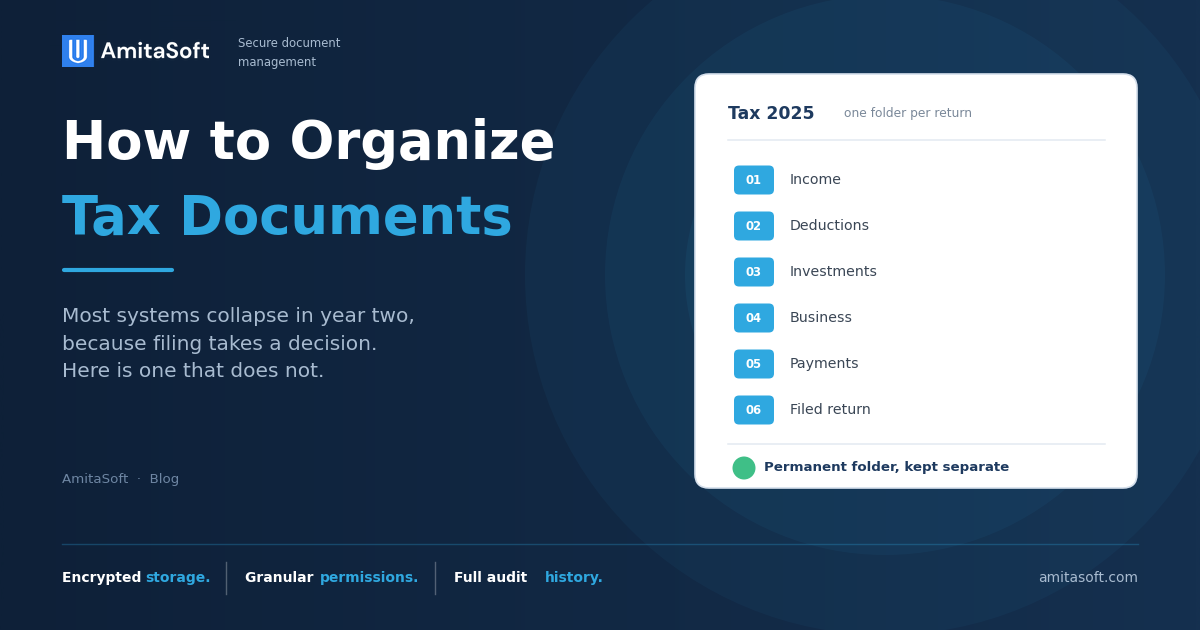
Organize by tax year first, then by what each document proves on the return. Keep one separate permanent folder for anything that establishes cost basis. File each document the day it arrives rather than at filing time.
That is the whole system. The rest of this explains why those four rules are the ones that matter, and why the folder structures people build fall apart in their second year.
Why most tax filing systems fail in year two
The first year always works. Somebody sets up folders in January, feels organized, and files everything through April.
The second year is where it goes. Not because people become lazy, but because the system asks a question every time a document arrives. Does a mortgage statement go under Housing or Deductions. Is a brokerage 1099 income or investments. Does the HSA form belong with medical or with retirement.
Each question takes a few seconds and a small amount of willpower. A system that asks twenty questions a year gets abandoned, and the documents go back into the drawer they came from.
The test for any filing system is whether putting a document away takes a decision. If it does, it will not survive a busy February.
Organize by tax year, then by what the document proves
Two structural choices remove almost all of the decisions.
Tax year at the top. Not calendar year, not month, not document type. Every retention rule the IRS publishes is anchored to a return, so a folder that matches a return is a folder you can dispose of in one action when its period expires.
Inside the year, group by what the document proves, meaning which part of the return it supports. This maps to how your accountant thinks and to how you will search when a question comes up three years later.
Two folders, not one
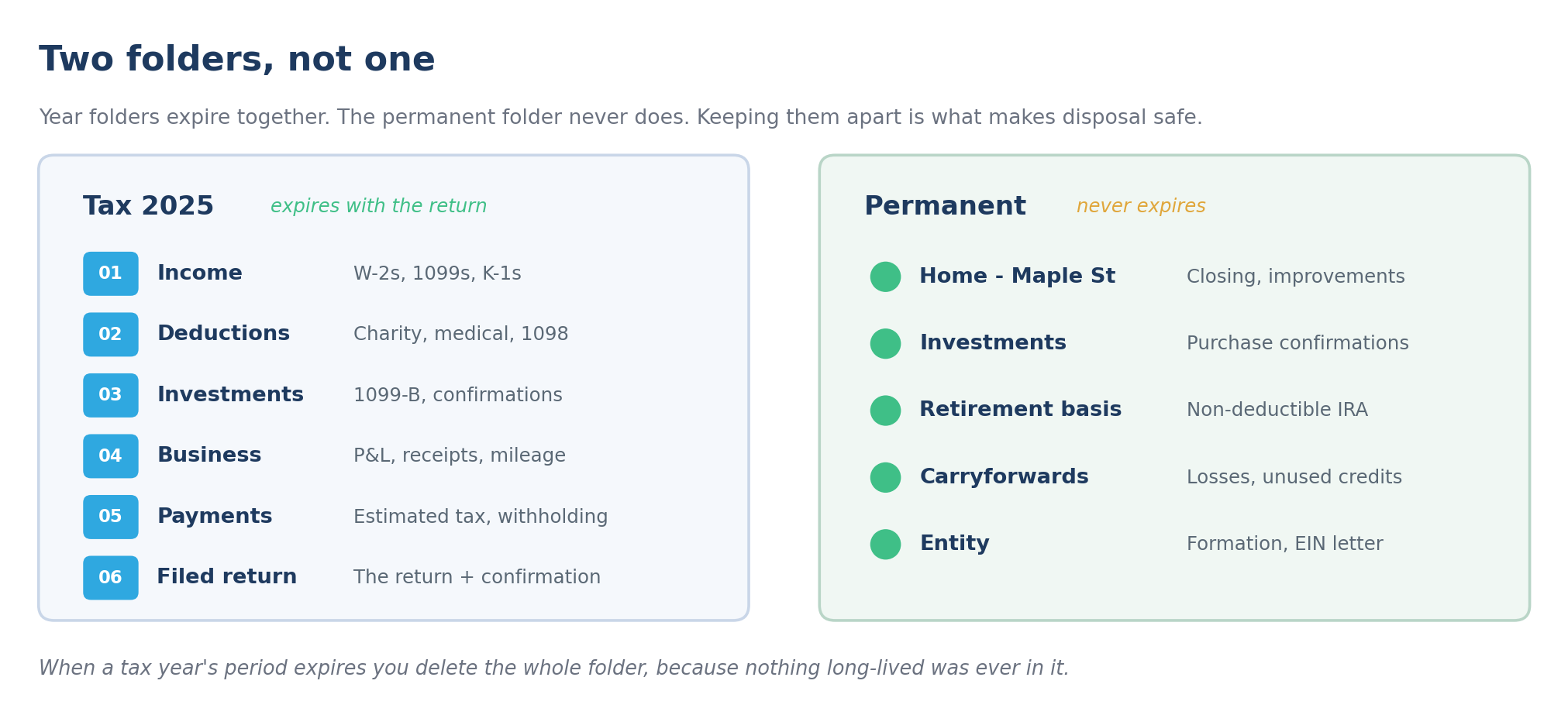
Year folders expire together. The permanent folder never does. Keeping them apart is what makes disposal safe.
Tax 2025 — expires with the return
- 01 Income
- 02 Deductions
- 03 Investments
- 04 Business
- 05 Payments
- 06 Filed return
Permanent — never expires
- Home - Maple St
- Investments
- Retirement basis
- Carryforwards
- Entity
When a tax year's period expires you delete the whole folder, because nothing long-lived was ever in it.
The folder structure
Six folders inside each tax year. Numbered so they hold their order.
Tax 2025/
  01 Income          W-2s, 1099-NEC, 1099-INT, 1099-DIV, K-1s
  02 Deductions      Charitable receipts, medical, 1098 mortgage interest,
                     property tax, state and local tax
  03 Investments     1099-B, purchase and sale confirmations, cost basis
                     statements
  04 Business        Profit and loss, expense receipts, mileage log,
                     asset purchases  (skip if not applicable)
  05 Payments        Estimated tax payments, prior-year refund applied,
                     withholding not on a W-2
  06 Filed return    The return itself and the filing confirmation
Almost every document a household receives has one obvious home in that list. That is the point. Ambiguity is what kills a system, and six categories with clear boundaries produce very little of it.
Name files so the sort order does the work
A good naming rule means you never open a folder and read filenames. You glance at the sorted list and the answer is already grouped.
Inside a tax year folder:
2025_1098_Wells-Fargo.pdf
2025_1099-DIV_Vanguard.pdf
2025_1099-INT_Chase.pdf
2025_1099-INT_Ally.pdf
2025_Charity_Red-Cross.pdf
2025_W2_Acme-Corp.pdf
Name files so the sort order does the work
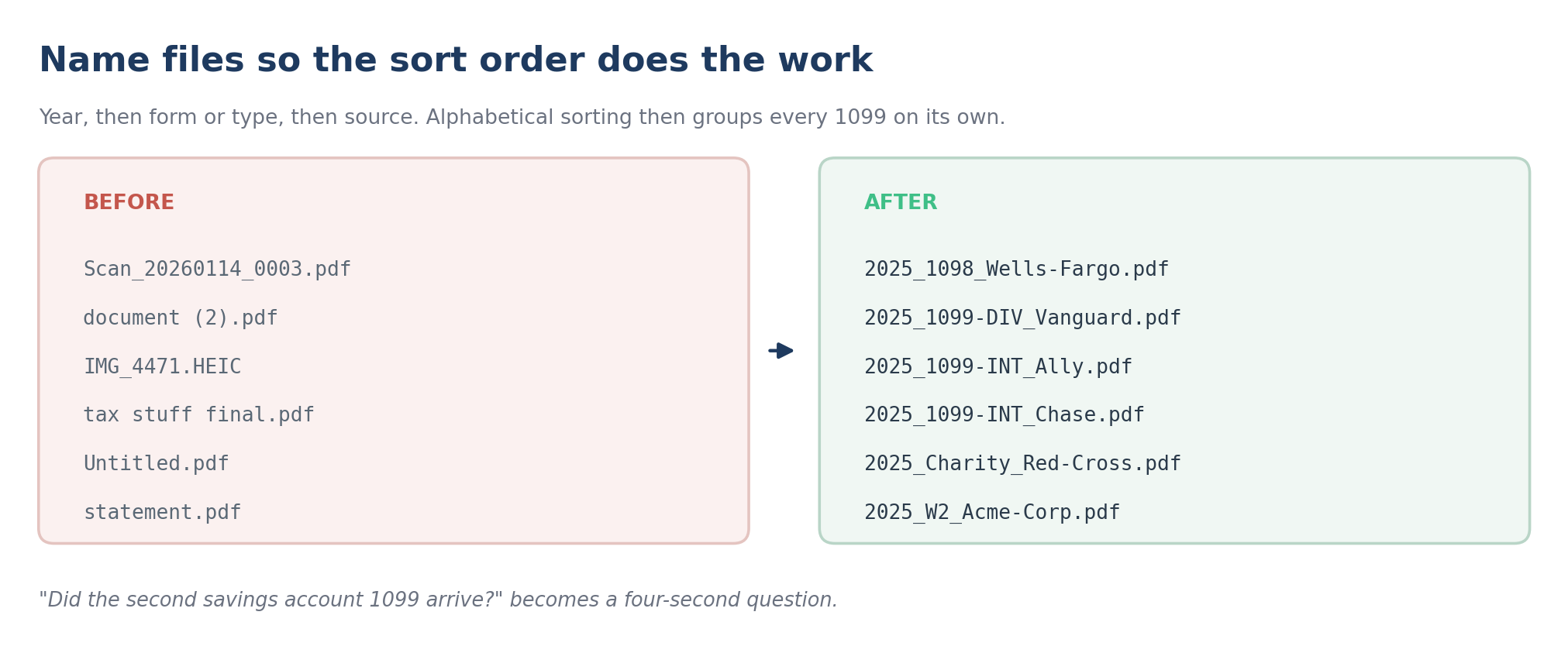
Year, then form or type, then source. Alphabetical sorting then groups every 1099 on its own.
BEFORE
- Scan_20260114_0003.pdf
- document (2).pdf
- IMG_4471.HEIC
- Untitled.pdf
AFTER
- 2025_1098_Wells-Fargo.pdf
- 2025_1099-DIV_Vanguard.pdf
- 2025_1099-INT_Chase.pdf
- 2025_W2_Acme-Corp.pdf
Did the second savings account 1099 arrive? becomes a four-second question.
Year, then form or type, then source. Sorting alphabetically groups every 1099 together without you doing anything. When your accountant asks whether the second savings account 1099 arrived, you can answer in four seconds.
Two habits make this work. Use the form number when one exists, because that is what everyone involved will search for. And keep source names short and consistent, so Chase is always Chase and never JPMorgan Chase Bank NA.
The rule that makes it survive: file on arrival
This is the single change that separates a system that lasts from one that does not.
When a tax document arrives, file it that day. Not that week. A 1099 that sits in an inbox for a month becomes a 1099 you have to hunt for, and hunting is what makes March unpleasant.
File on arrival, not at filing time
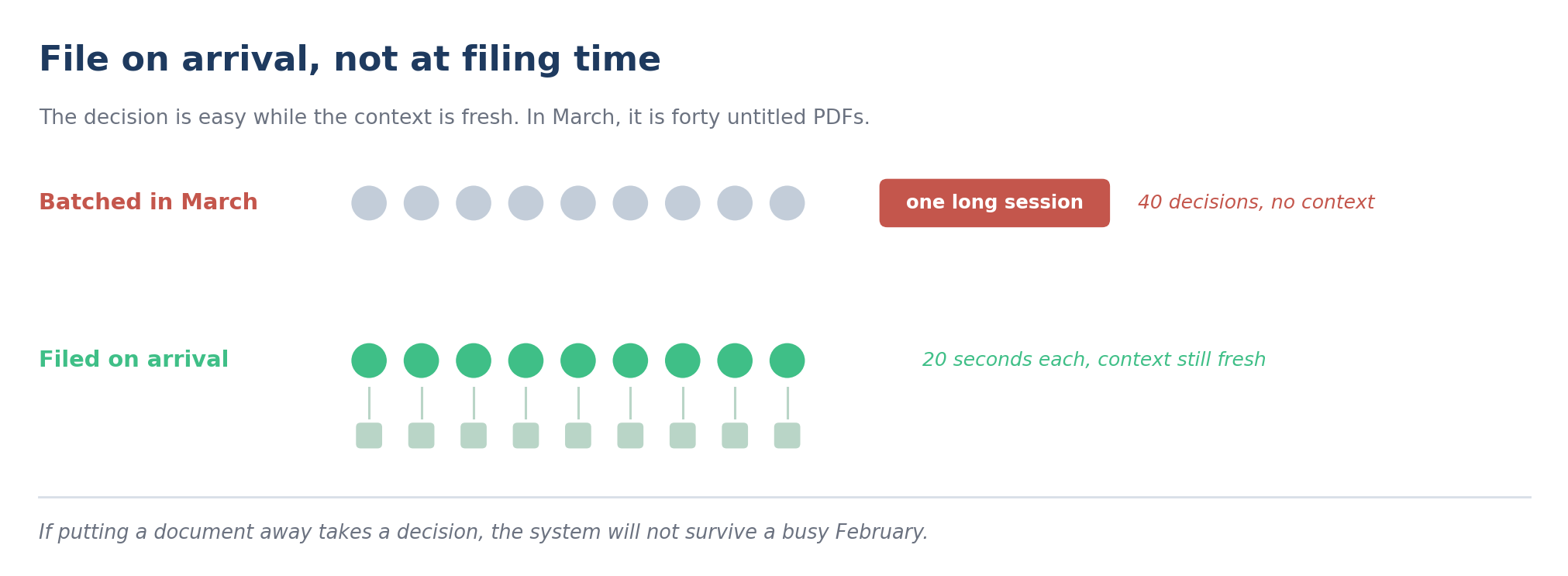
The decision is easy while the context is fresh. In March, it is forty untitled PDFs.
Batched in March
- one long session
- 40 decisions, no context
Filed on arrival
- 20 seconds each
- context still fresh
If putting a document away takes a decision, the system will not survive a busy February.
Filing on arrival works because the decision is easy while the context is fresh. You know what the document is because you have just read the covering email. In March, looking at forty untitled PDFs, you do not.
If the document is paper, scan it the day it arrives and file the scan. The paper original can go in a single unsorted box per year, because you will almost never need it and sorting paper twice is wasted effort.
The permanent folder
The year folders hold documents that expire. A second, separate folder holds documents that do not.
Permanent/
  Home - Maple St/       Purchase closing statement, every improvement
                         receipt, refinance documents
  Investments/           Purchase confirmations for anything still held
  Retirement basis/      Records of non-deductible IRA contributions,
                         Roth account opening
  Carryforwards/         Support for losses or credits carried into
                         future years
  Entity/                LLC or partnership formation, operating
                         agreement, EIN letter
Keeping these out of the year folders is what makes disposal safe. When a tax year's retention period expires you can delete the whole folder without stopping to check whether something in it mattered for longer, because anything that mattered for longer was never in there.
Within an asset folder, put the asset name first so everything for one property groups together:
Home-Maple-St_2011_Purchase-Closing.pdf
Home-Maple-St_2016_Kitchen-Renovation.pdf
Home-Maple-St_2019_Roof-Replacement.pdf
Twenty years later, that folder is the difference between proving your cost basis and paying tax on a gain you did not have. More on which records last that long in our piece on how long to keep tax records.
Paper, digital, or both
Digital, with one exception.
Scanned records are acceptable to the IRS provided they are legible, complete, and retrievable. Digital records are also searchable, backed up, and shareable with an accountant without a trip to the post office.
The exception is documents where the original itself has legal weight. Deeds, titles, original signed agreements, birth and marriage certificates, and anything notarized. Scan those too, but keep the paper somewhere safe.
For everything else, one clean scan replaces the paper. Photographs of documents taken on a phone are a poor substitute, because they are seldom straight, often unreadable at the edges, and never searchable.
A ninety-minute setup
You do this once, and it works for every year afterwards.
- Create the six-folder template for the current tax year. Ten minutes.
- Create the permanent folder and populate it from what you already have. This is the part that takes the time. Find the closing statement for your home, any improvement receipts you still have, records of non-deductible IRA contributions, and confirmations for investments you still hold. An hour, and it is the highest-value hour in the whole exercise.
- File everything that has arrived so far this year. Twenty minutes if you are current, longer if you are not.
You will not finish the permanent folder in one sitting, because some of it is missing. That is normal and it is worth knowing about now rather than in the week you sell the house.
If you are already behind
Do not start by organizing the backlog. You will run out of patience before you reach the useful part.
Start with the current year, using the structure above, and file on arrival from today. Then work backwards one tax year at a time, most recent first, in short sessions.
Two shortcuts that save most of the effort:
- Anything past its retention period can be shredded rather than sorted. Check for basis records first, then dispose of the rest of the year without opening every file.
- For older years, one folder per year is enough. The six-folder structure earns its keep for years you might still amend or be asked about. For a 2014 folder, being able to find the year at all is sufficient.
Frequently asked questions
How should I organize tax documents for my accountant?
Send them grouped the way the return is built rather than as a single folder of scans: income, deductions, investments, business, payments. Name each file with the year, the form number where there is one, and the source. Most preparer follow-ups exist because a document arrived without a clear name and nobody could tell which account or which year it belonged to. Ask your accountant whether they have a preferred structure, because some firms provide one and it saves you inventing your own.
Should I keep paper or digital copies of tax documents?
Digital, for almost everything. The IRS accepts electronic records provided they are legible, complete, and retrievable, and digital records are searchable and easy to back up. Keep the paper original only where the original itself carries legal weight, such as a deed, a title, or a notarized agreement. Scan those as well, and store the paper somewhere fireproof.
What is the best way to name scanned tax documents?
Use tax year, then form or document type, then source: `2025_1099-INT_Chase.pdf`. Sorting alphabetically then groups all documents of the same type together without any further effort. Keep source names short and always spell them the same way. For permanent records tied to an asset, put the asset name first instead, so every document for one property sits together in date order.
How do I organize tax documents if I am self-employed?
Use the same six folders and treat the business folder as the one that needs discipline through the year rather than at filing time. Separate business and personal accounts if you have not already, keep a mileage log as you go rather than reconstructing it in March, and file receipts monthly. The retention rules are also longer for some business records, including at least four years for employment tax records if you pay anyone.
What documents should I keep forever?
Filed tax returns, records establishing the cost basis of anything you still own, records of non-deductible IRA contributions, entity formation documents, and vital records such as birth, marriage, and death certificates. Everything on that list either has no expiry or expires only when you sell the underlying asset, which is why it belongs in a permanent folder rather than in a tax year.
Where SafeVault fits
A folder structure and a naming rule will carry you a long way, and for many households they are enough. What they do not solve is the part that depends on you remembering: filing on arrival, and noticing when something needs attention years later.
SafeVault helps protect sensitive personal, financial, and family documents with encrypted document handling, secure access controls, and intelligent organization. Documents are classified and validated as they arrive, so a 1099 is recognized as a 1099 rather than filed as a download with a random name.
Two things matter for organization specifically. You can set policies for renewals, expirations, and reminders, so a document with a review date surfaces on its own. And sharing runs on granular permissions with full audit history, which is what you want when the person who needs a document is your accountant, your lender, or a family member acting for you.
It will not decide what to keep. That judgement stays with you and your CPA.
If your tax documents live across an inbox, a drawer, and three cloud folders, schedule a demo.